
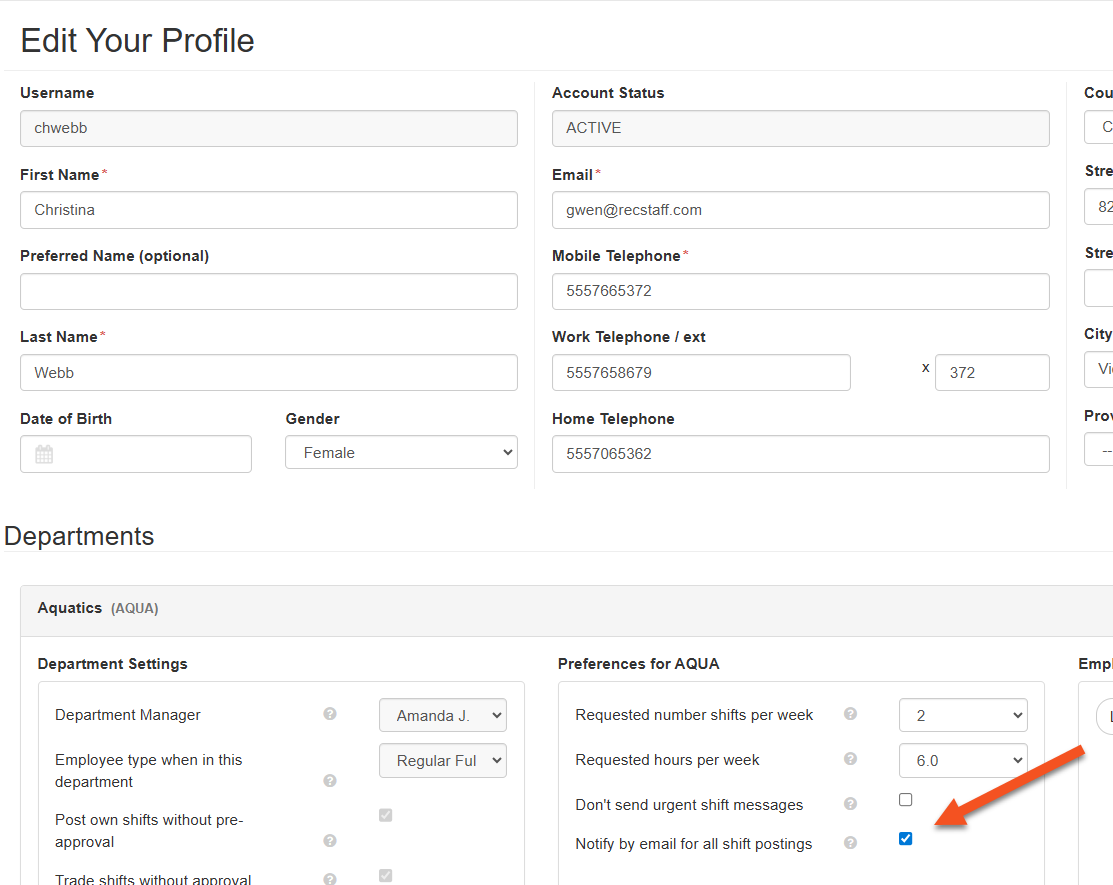
RecStaff can send an automatic email notification as soon as a shift is posted to the Shift Board for pick up. This setting is at the department level and staff can opt in via their user profile.
This email notification is sent immediately upon posting and is separate from Urgent Lead Time shift notifications which can be sent via email or text.
To set up email notifications:
1. Site Setup/Dept Setup
2. Site Settings
3. Communication Settings
4. Allow employees to request email notification on every shift posting - set to yes for your department(s)
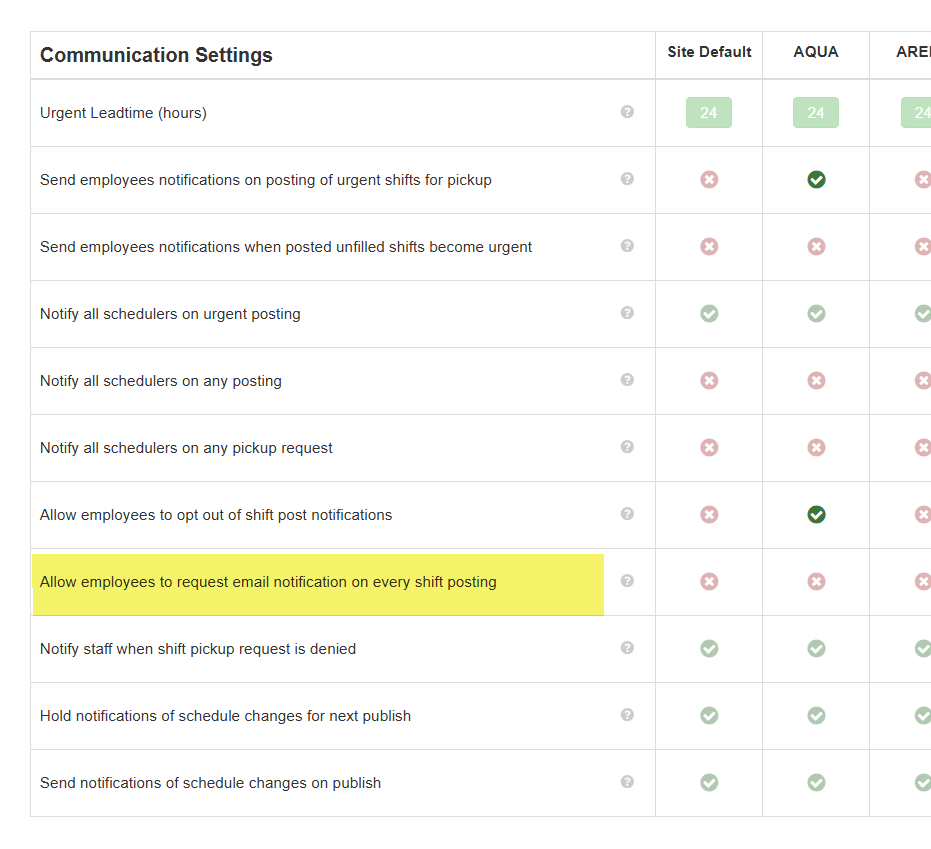
5. Notify staff of the option so they can go to their User Profile and opt in to receive the email messages. See below.
Note: Schedulers can also receive email notifications of shifts that have been posted for pick up and any requests made to pick up those shifts.