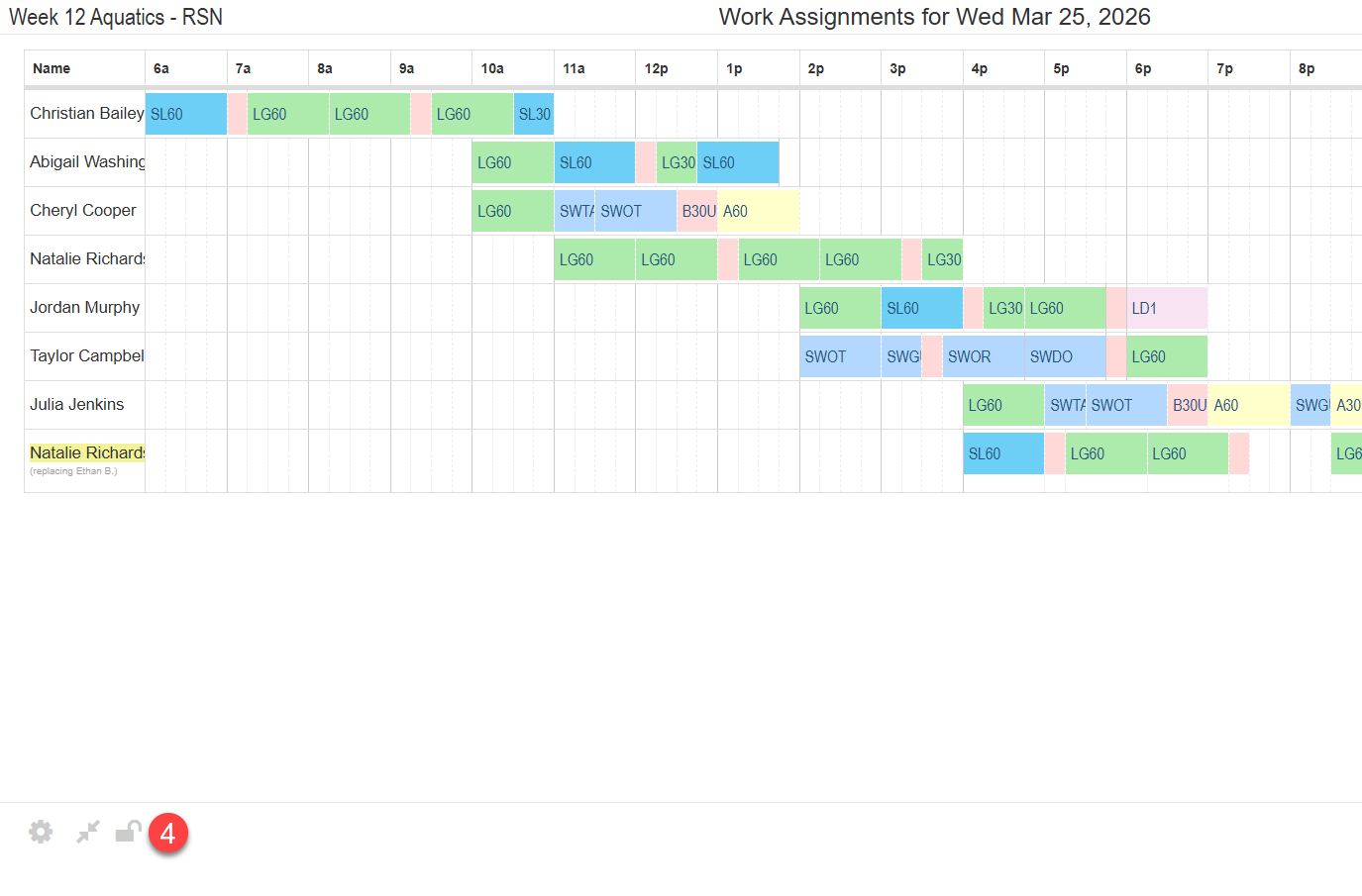
The Work Assignment Display provides a real-time view of staff responsibilities throughout the day. Designed to be locked onto a shared screen, it automatically refreshes every 20 seconds to ensure information is always up to date. Staff can quickly check the display to see what they’re scheduled to do next, reducing confusion and keeping operations running smoothly.
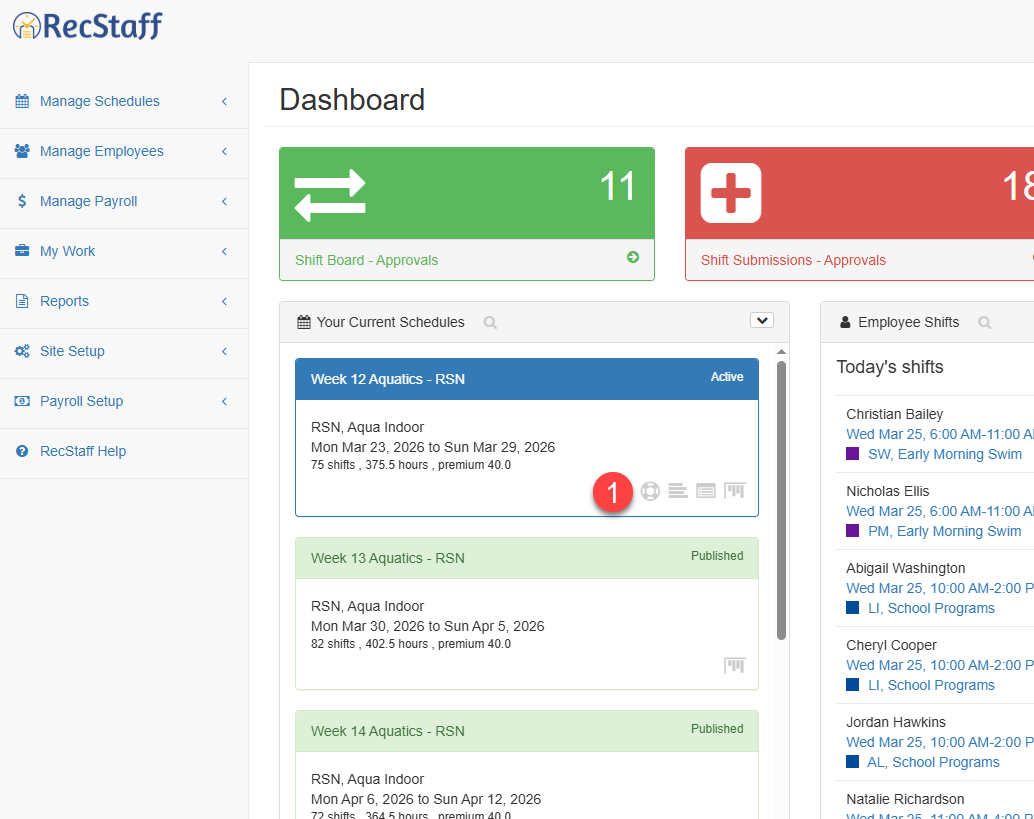
1. Click on the work assignment icon on the Active schedule from your dashboard.
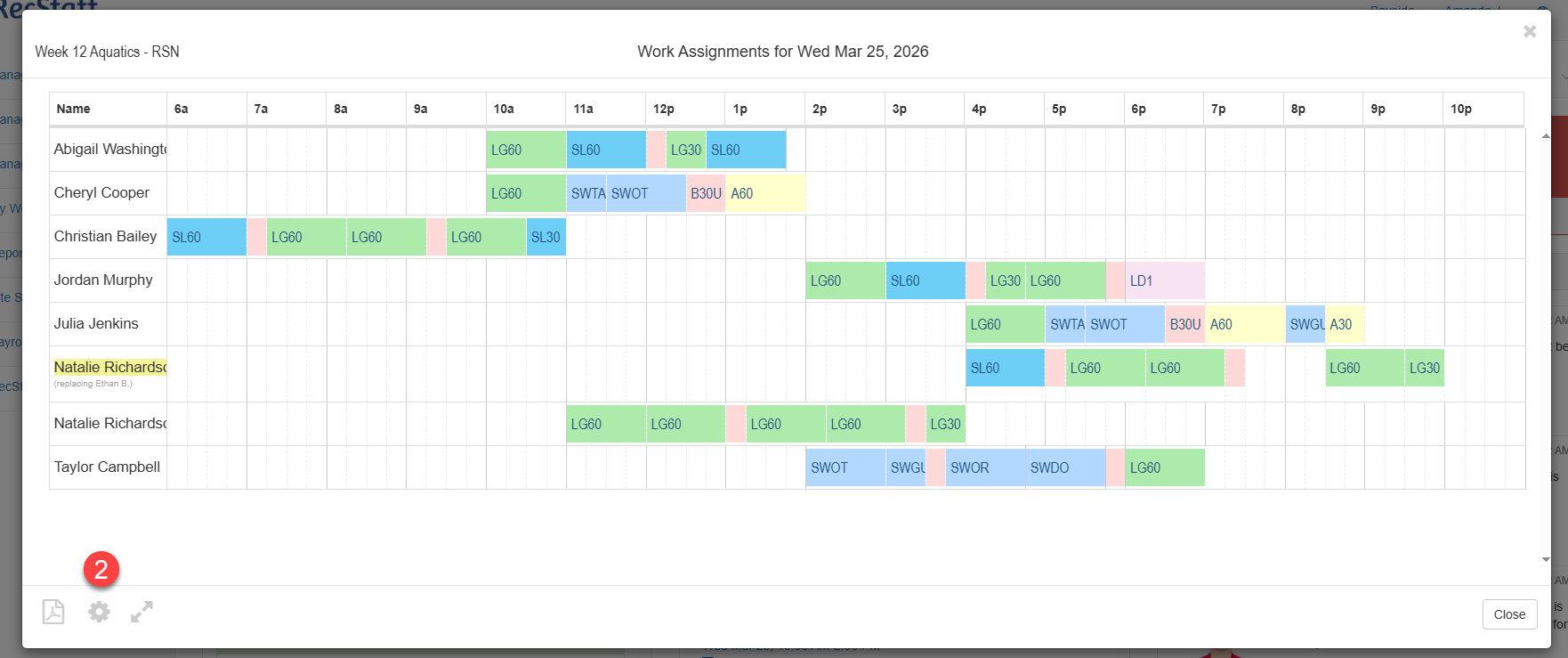
2. Click on the gear icon to change the sort order. You can sort by staff, time or role.
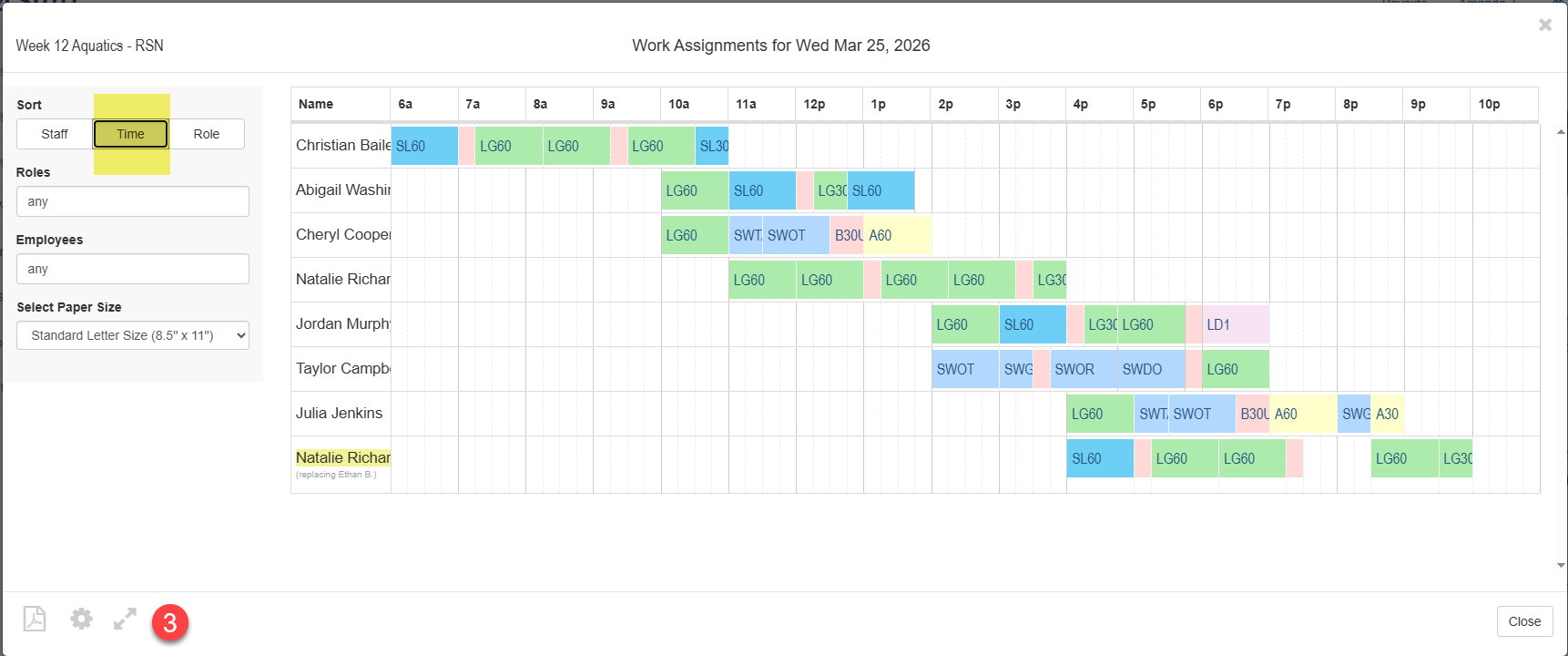
3. Click on the arrows icon to expand the view to full screen
4. Click on the lock icon to lock the screen and refresh every 20 seconds.