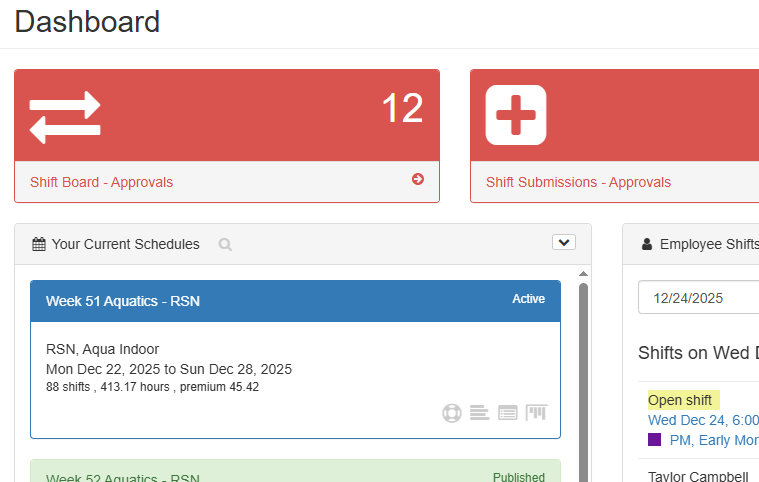
Managers can convert an assigned shift into an Open Shift directly from the Manager’s Dashboard, without opening the schedule. This allows you to quickly make a shift available for pickup when coverage changes.
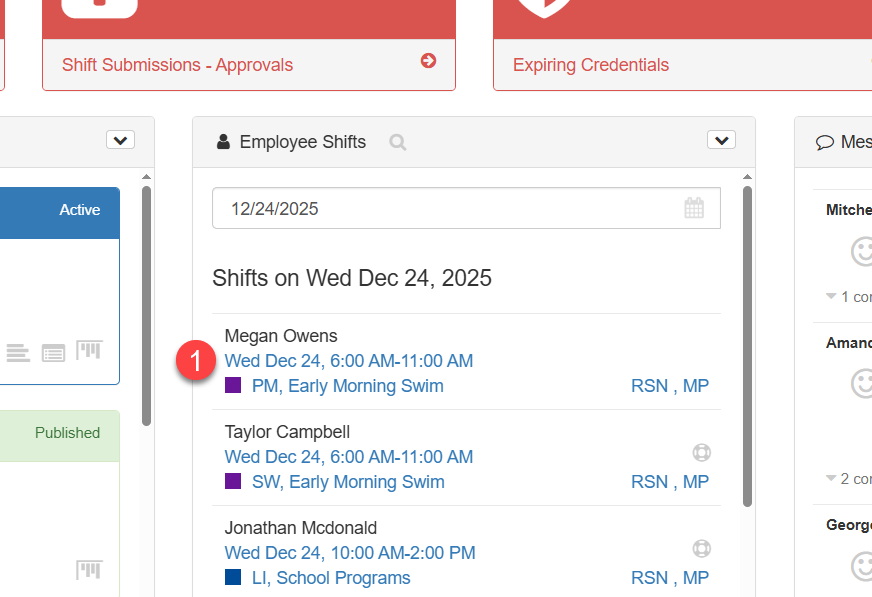
1. Click on the shift on the Employee Shift Panel to open the shift detail dialogue
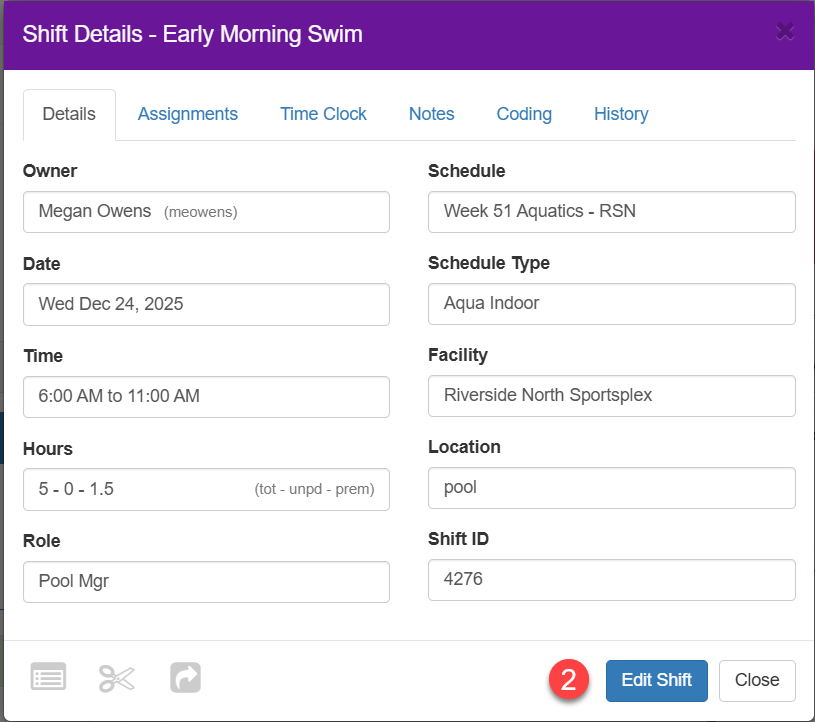
2. Click the Edit Shift button
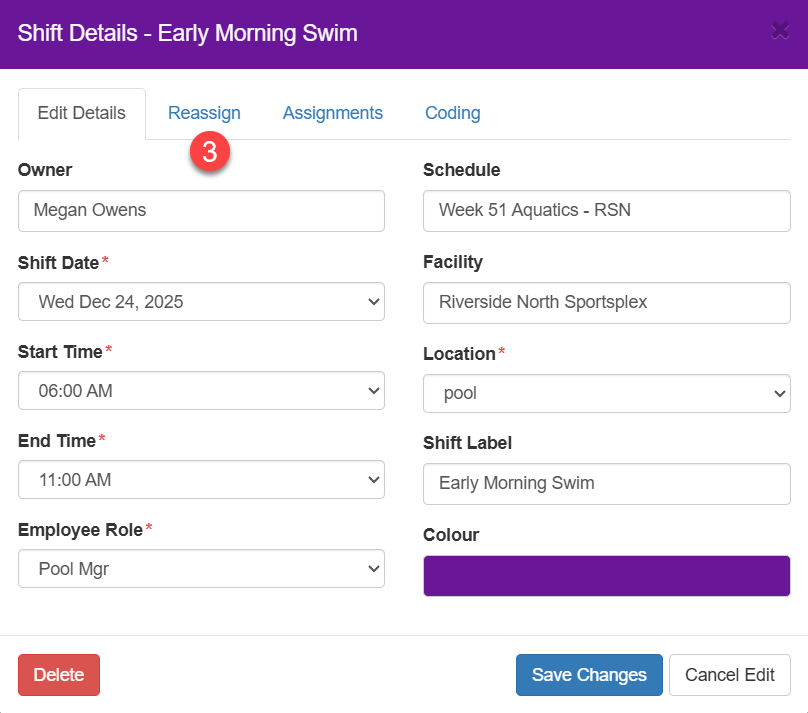
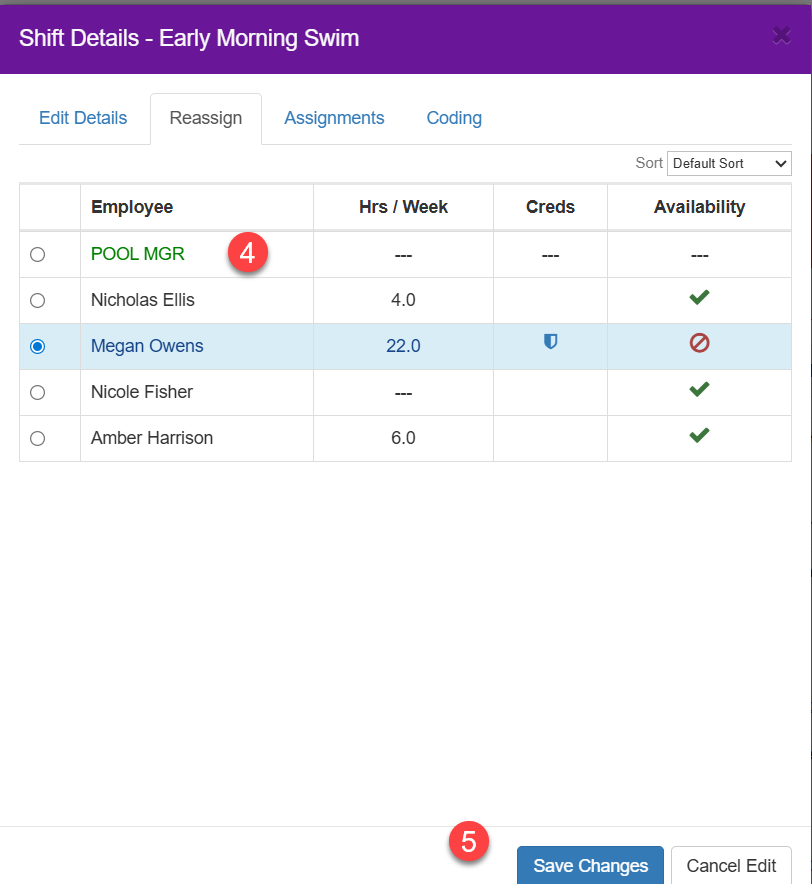
3. Click the Reassign tab to open the Staff Pick List
4. Click on the Placeholder to create an open shift
5. Click the Save Changes button
6. This change has caused the schedule to go into Modified mode. To add this change to the Shift Board you need to click on the cloud with an arrow icon on the schedule.
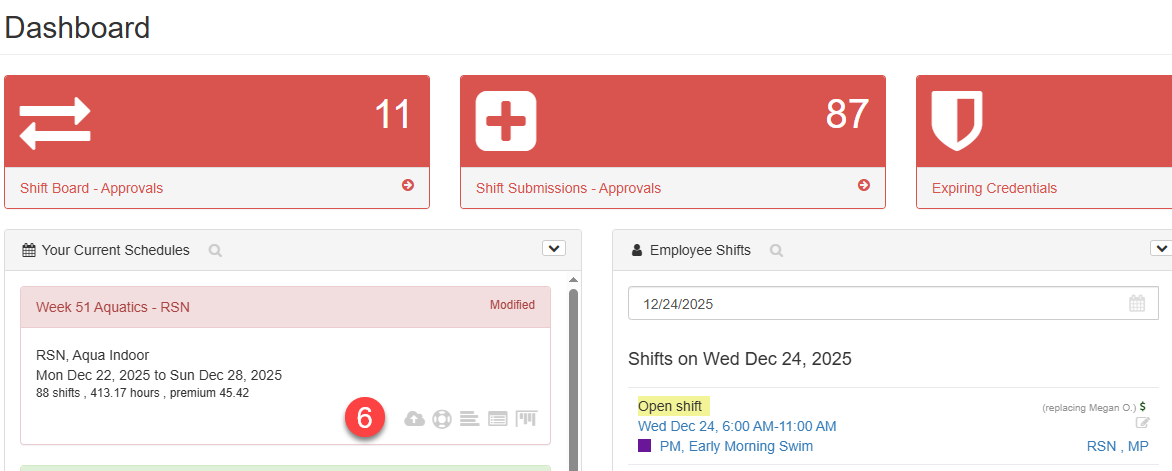
Once this is done you'll note that the schedule has returned to its Active state and the Shift Board number will increment by one.