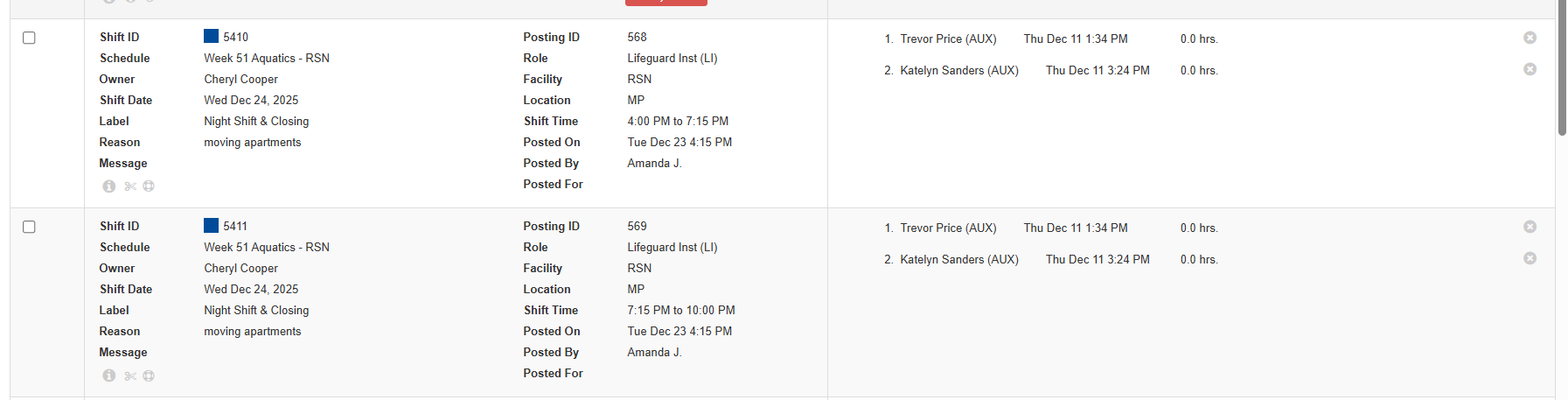
Sometimes a posted shift needs to be divided into parts—for example, when one employee can cover the first portion of a shift but not the entire time. Managers can now split a shift directly from the Shift Board, the dashboard via the employee shift panel or the VSB (visual schedule builder).
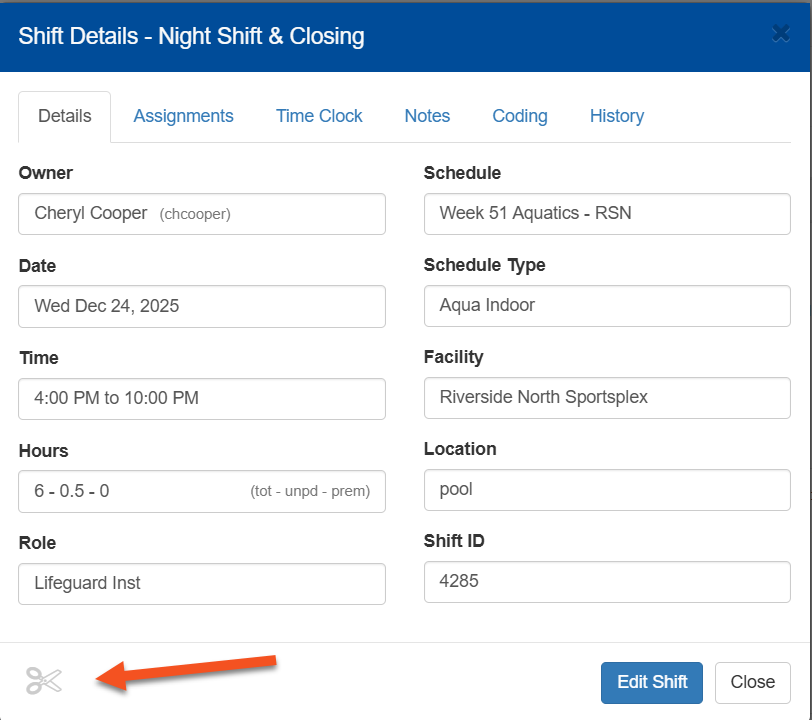
To make any changes to an existing shift (like splitting) you need access to the shift detail.
From the VSB, double click on the persons name in the shift and it will open up the shift detail. From the employee shift panel click on the shift and it will open the shift detail
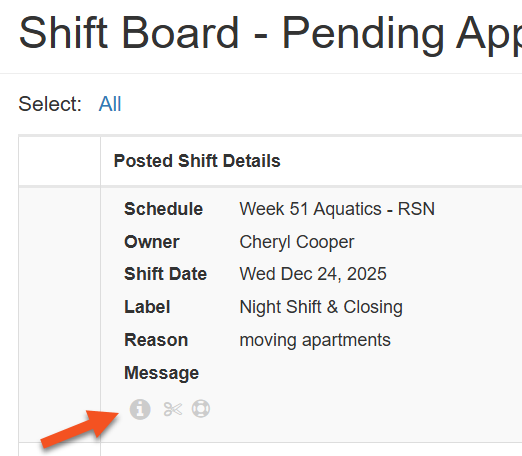
From the shift board click on the i icon on the shift and it will open the shift detail
1. In the Shift Board click on the i icon for the shift you want to split to open the shift detail
2. Click on the scissors icon at the bottom of the shift detail
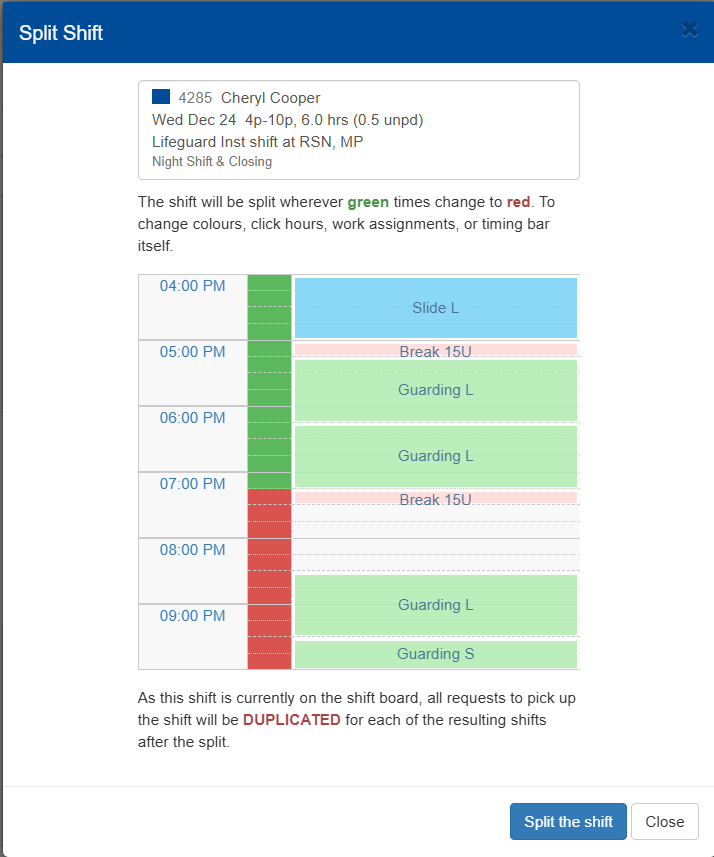
3. Click on the portion of the shift you want to split (in time section). The red portion will create a new shift and then green portion will stay with the existing shift.
Now there will be two shifts on the shift board for pick up.
Note: If employees had requested the shift before it was split those names will appear on both shifts.
Before Split:

After Split: