
Managers no longer need to open the schedule and search for a shift to make updates. Common shift changes can now be made directly from the Manager’s Dashboard using the Employee Shift Panel, making day-to-day adjustments faster and more efficient.
Fields You Can Change from the Dashboard
From the shift details, managers can update:
Shift Date
Start Time and End Time
Employee Role
Location
Shift Label
Shift Colour
These changes take effect immediately after saving.
Reassigning the Shift Owner
The owner of the shift can also be changed.
To do this, open the shift and use the Reassign tab.
This allows you to assign the shift to a different employee without opening the schedule.
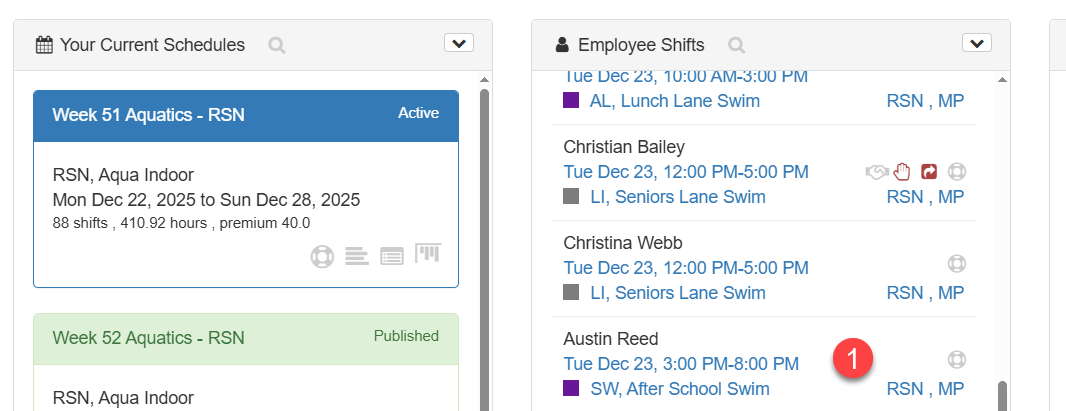
1. Click on the shift in the Employee Shift Panel to open the shift detail dialogue
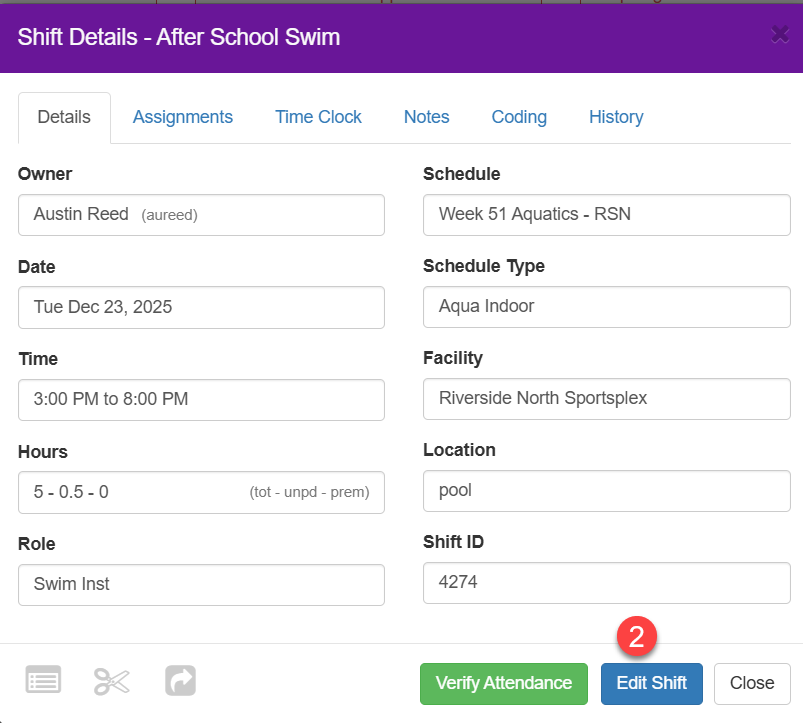
2. Click the Edit Shift button
3. Click on the field and make the change
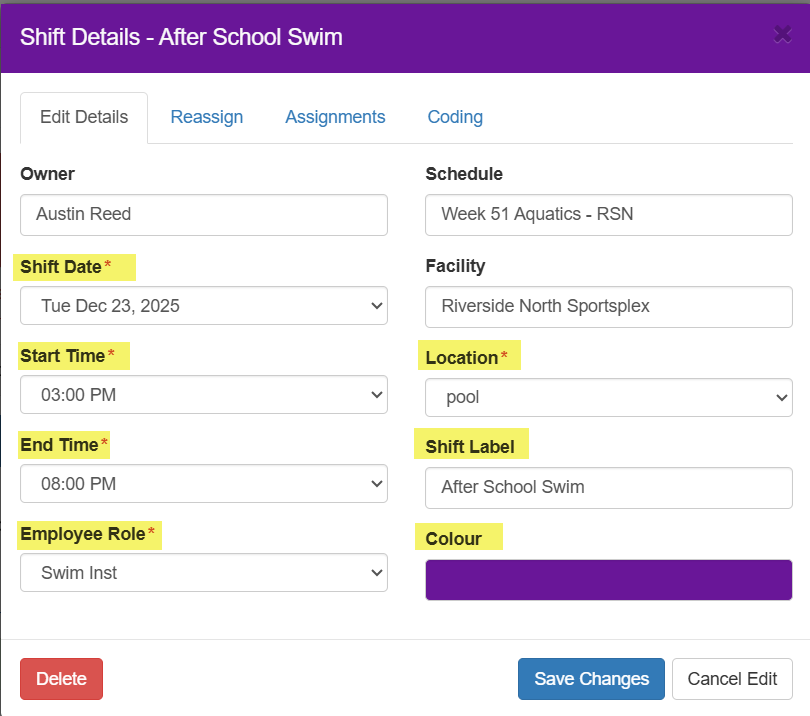
4. Make sure to click Save Changes button when finished