If you find yourself choosing the same filters every time you open a schedule, report, or listing page, RecStaff’s Sticky Fields can help. Sticky Felds let you “lock in” your filter selections so they stay applied everywhere you go in the system. When a field is sticky, it won’t reset the filter between pages or sessions. Sticky Fields help reduce repetitive selections and make everyday tasks faster and more consistent.
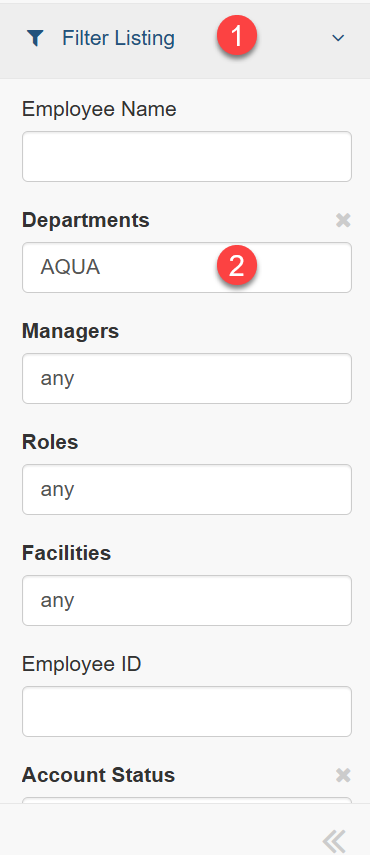
You can tell a field is sticky because it appears in bold.
Where Sticky Fields Are Used
You may see sticky fields in:
Reports
Shift Board History Report
Shift Viewer Report
Listing pages
Employee Listing Page
Schedule Listing Page
Shift Submission Listing Page
How to Add a Sticky Field
1. Click on Filter Listing of the report or listing page
2. Click on the field you want to stick and add the word