How to change default work codes for your department
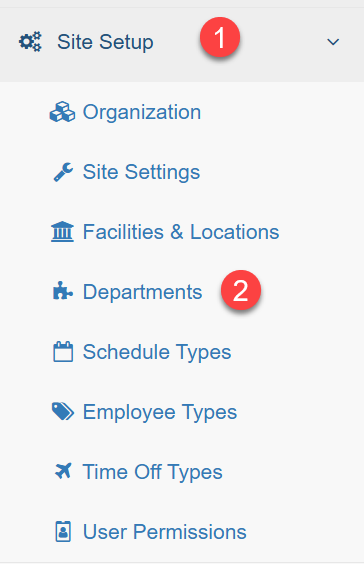
1. Click on Site Setup or Dept Setup depending on your access level
2. Click on Departments
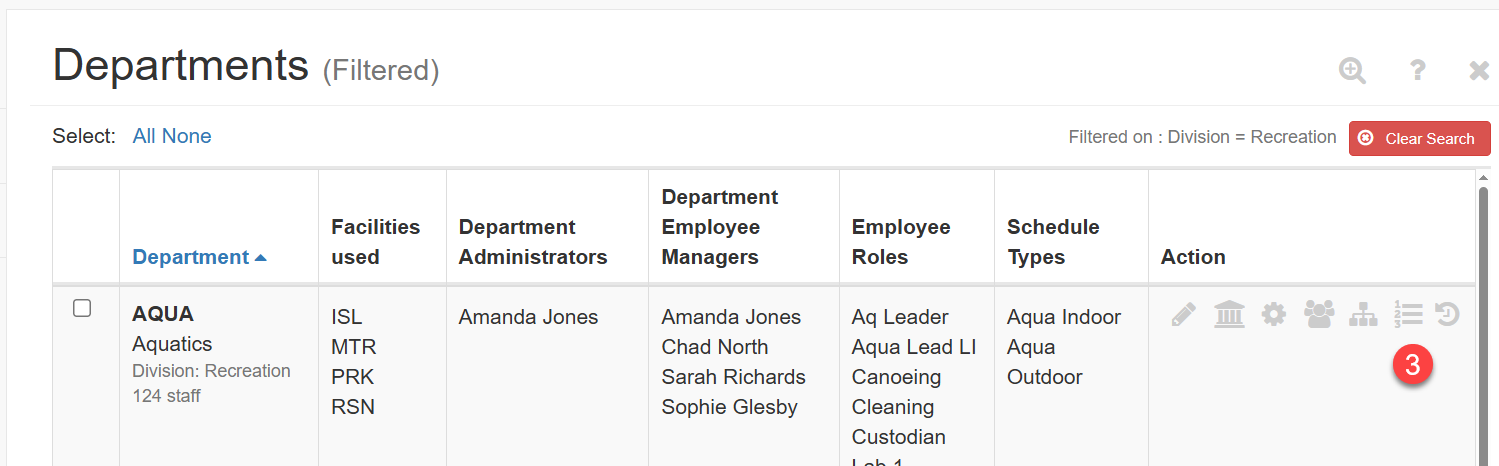
3. Click on the 123 icon under the Actions column for the department you want to modify
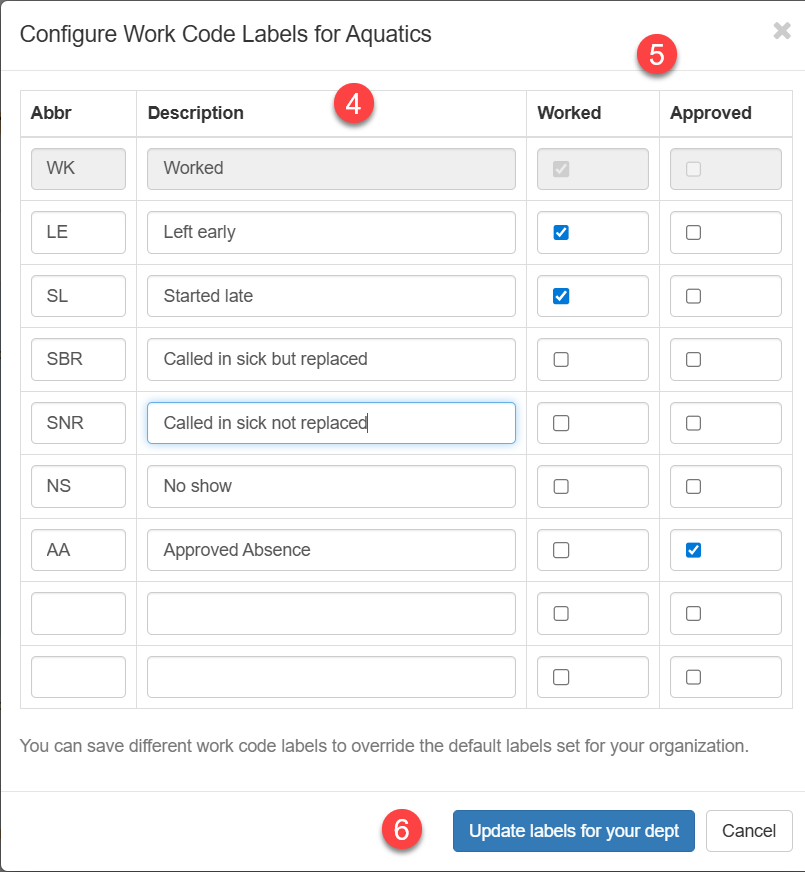
4. Add the Work Code Labels you want for your department
5. Tick Worked if you want the label to denote shifts that are worked. Tick Approved if you want the label to denote shifts that are exempt from the shift worked percentage calculation or leave blank if you want the label to denote shifts that will be counted against the shift worked percentage calculation. See above for a more detailed explanation of these 3 options.
6. Save by clicking Update labels for your dept at the bottom of the dialogue.