
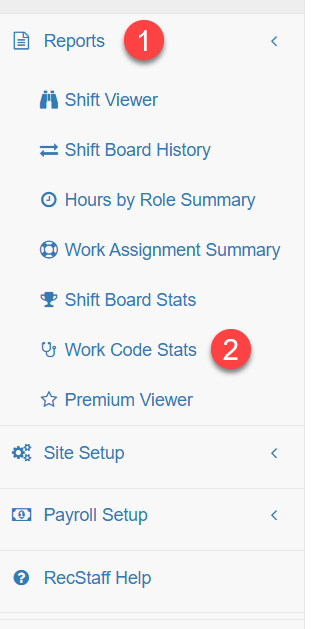
To access the Work Code Stats Report, open the Reports menu and select Work Code Stats.
Report Generation
The report will automatically loads with a default date range, giving you an immediate overview of recent work code activity.
Report Options
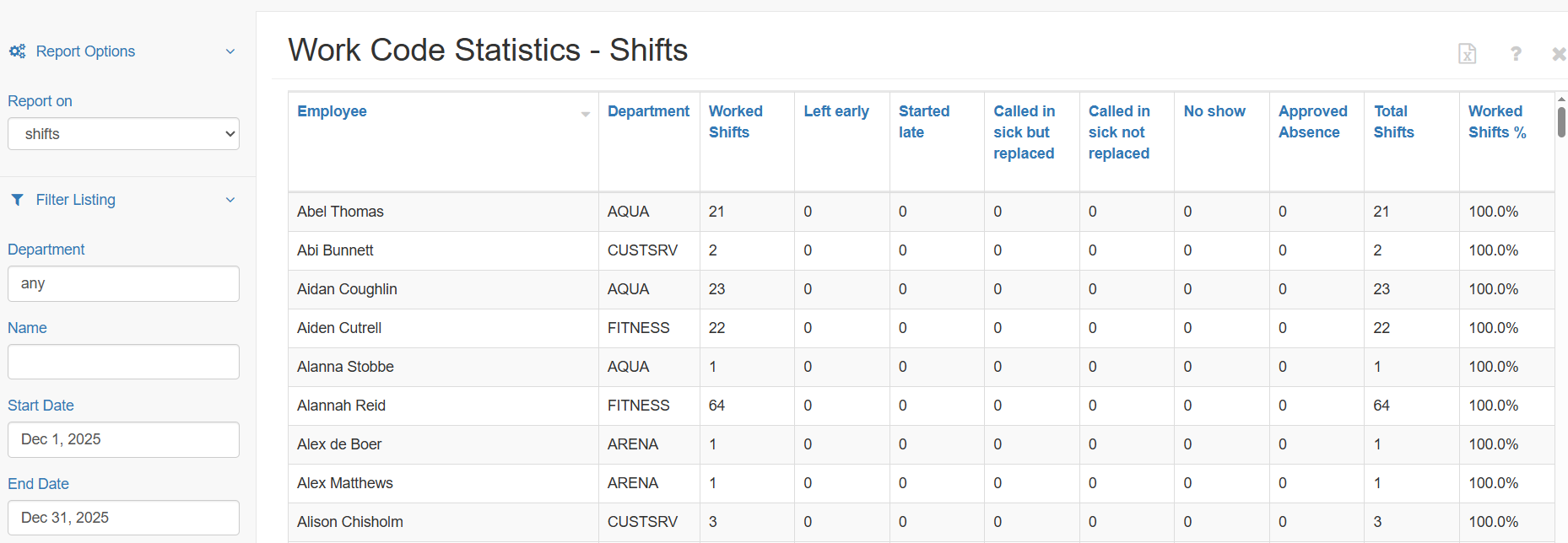
Under Report Options, you can choose whether the report displays:
- Shifts
- Hours
- Both shifts and hours
This allows you to view work code usage in the way that best fits your analysis needs.
Filter Listing
The Filter Listing lets you narrow the results by:
- Department
- Employee Name
- Start and end date
Use these filters to focus on specific groups, staff members, or time periods.
Understanding the Report
The report displays:
A list of all Work Code labels currently in use
The number of shifts that have been assigned each Work Code
Totals for each employee
The Worked Shifts %, which represents how consistently each staff member works their scheduled shifts (based on your Work Code configurations)
This gives you a clear summary of work behaviour patterns across your workforce.